| Rating: | 3.5 (1 votes) |
| Played: | 443 times |
| Classification: | AZ Games |
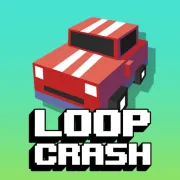
Loop Crash 2 is an unlimited arcade driving game where players have to control the speed of their automobile on a looping course while dodging cars crossing the road. The game relies on observation, timing and acceleration rather than the constant steering of classic racing games.
Loop Crash 2 is special for its simple controls.
Now you don’t have to steer or do any fancy manoeuvres. The automobile moves on its own along the loop, establishing an accessible rhythm of gameplay that grows more difficult to master the longer you play.
Every time you press and hold the acceleration button, the automobile accelerates across the track. But if you are going fast, you don’t have as much time to react when a car pops out in front of you.
Players must continually monitor:
Loop Crash 2 can look like a typical casual game at first glance. But the single button method adds depth as players have to devise their own strategies for speed adjustment.
No quick reactions are necessary for the game, such avoiding obstacles constantly, but patience and foresight. You can't constantly be at full speed. You have to know when to pause for safety.
The major obstacle in the game is the traffic system and it becomes worse with time. The first few laps are usually rather easy, letting players get acclimated to how fast they travel.
But when we go to more laps:
Loop Crash 2 doesn’t just play one track. varied tracks include varied obstacles, different traffic locations, and different situations for the players to adjust to.
Some of the rails feature dangerous crossings, others you have to keep adjusting your speed so you don't crash into anything.
Before the start of the game you can select the track, difficulty and unlocked car.
Then the car will automatically run on the loop and you need to concentrate on controlling your speed.
If you want to do additional laps, do the following:
The secret to Loop Crash 2 is not running the fastest, but running the smartest.
Play Loop Crash 2 today and test your speed control skills on perilous tracks.
AZ Games